The Ultimate Guide to YouTube SEO
With over 500 hours of video uploaded every minute, just making great content isn't enough. You need to understand the language of the algorithm. This guide covers every aspect of YouTube Search Engine Optimization (SEO) to ensure your videos get discovered, ranked, and watched.
Get the Best YouTube SEO Tool FreeTable of Contents
What Are the Key YouTube Ranking Factors?
YouTube's algorithm is complex and constantly evolving, but it boils down to one simple goal: keeping viewers on the platform as long as possible. It achieves this by promoting videos that viewers are likely to watch, enjoy, and engage with.
While there are hundreds of signals, the most critical ranking factors you need to optimize for are:
- Watch Time & Audience Retention: This is the #1 ranking factor. If people click your video but leave after 10 seconds, YouTube will stop suggesting it. High retention indicates quality.
- Click-Through Rate (CTR): This measures how persuasive your title and thumbnail are. A high CTR tells YouTube that your topic is relevant and interesting to the audience.
- Keyword Relevance: How well your metadata (title, description, tags) matches the user's search query. This helps YouTube understand what your video is about.
- Engagement: Likes, comments, shares, and new subscribers generated by the video. These are "votes" of confidence from the community.
- Freshness: For certain topics (news, trends), YouTube prioritizes recently uploaded content.
Pro Tip: Don't try to cheat the system. Buying views or using clickbait titles that don't deliver will destroy your audience retention and hurt your channel long-term.
How to Find the Best Keywords for Your Videos
Keyword research is the foundation of any successful YouTube SEO strategy. It involves identifying the specific words and phrases your target audience is typing into the search bar.
The golden rule of keyword research is to find terms with High Search Volume (lots of people looking for it) but Low Competition (few high-quality videos exist).
Trying to rank for broad terms like "cooking" is impossible for a new channel. Instead, you need to find "long-tail" keywords like "how to cook vegan lasagna for beginners." These are easier to rank for and have a more specific intent.
Want to Master Keyword Research?
We have a complete, step-by-step guide dedicated solely to finding high-traffic keywords for your channel.
Read The Ultimate Keyword Research GuideOn-Page Video Optimization Best Practices
"On-page" SEO refers to everything you can control directly on your video's page. A well-optimized video makes it easy for the algorithm to index your content and serve it to the right people.
1. The Title
Your title is the most important piece of metadata. It must include your primary keyword (for the algorithm) and an emotional hook (for the human). Place your keyword as close to the beginning of the title as possible.
2. The Description
Use the first two lines to summarize your video and restate your keyword naturally. This text appears in search results and influences CTR. Below the fold, add timestamps (chapters), affiliate links, and links to your other playlists.
3. Tags
While less important than they used to be, tags still help YouTube understand context, especially for misspellings. Use a mix of broad tags (e.g., "Photography") and specific tags (e.g., "Sony A7III review").
4. The Thumbnail
Technically "off-page" but critical for CTR. Use high-contrast colors, easy-to-read text (less is more), and expressive faces. Your thumbnail and title must work together to tell a story.
Don't Miss a Step!
Ensure every video is perfectly optimized before you hit publish with our downloadable checklist.
Get The Video Optimization ChecklistOff-Page Signals: Promoting Your Videos
"Off-page" SEO refers to signals from outside of YouTube. When other websites link to your video or embed it, it signals authority to Google.
- Embeds: Write a blog post about your video topic and embed the video. This increases watch time and session time.
- Social Shares: Share your video on Twitter, Facebook, Reddit, and LinkedIn. Even if the links are "nofollow," the traffic signals are real.
- Playlists: Add your video to relevant playlists on your channel. This encourages binge-watching, which skyrockets your channel's session time.
Using VidIQ for Advanced YouTube SEO
Manually doing all of this—checking keyword volume, analyzing competitors, tracking rankings—is incredibly time-consuming. This is where VidIQ becomes essential.
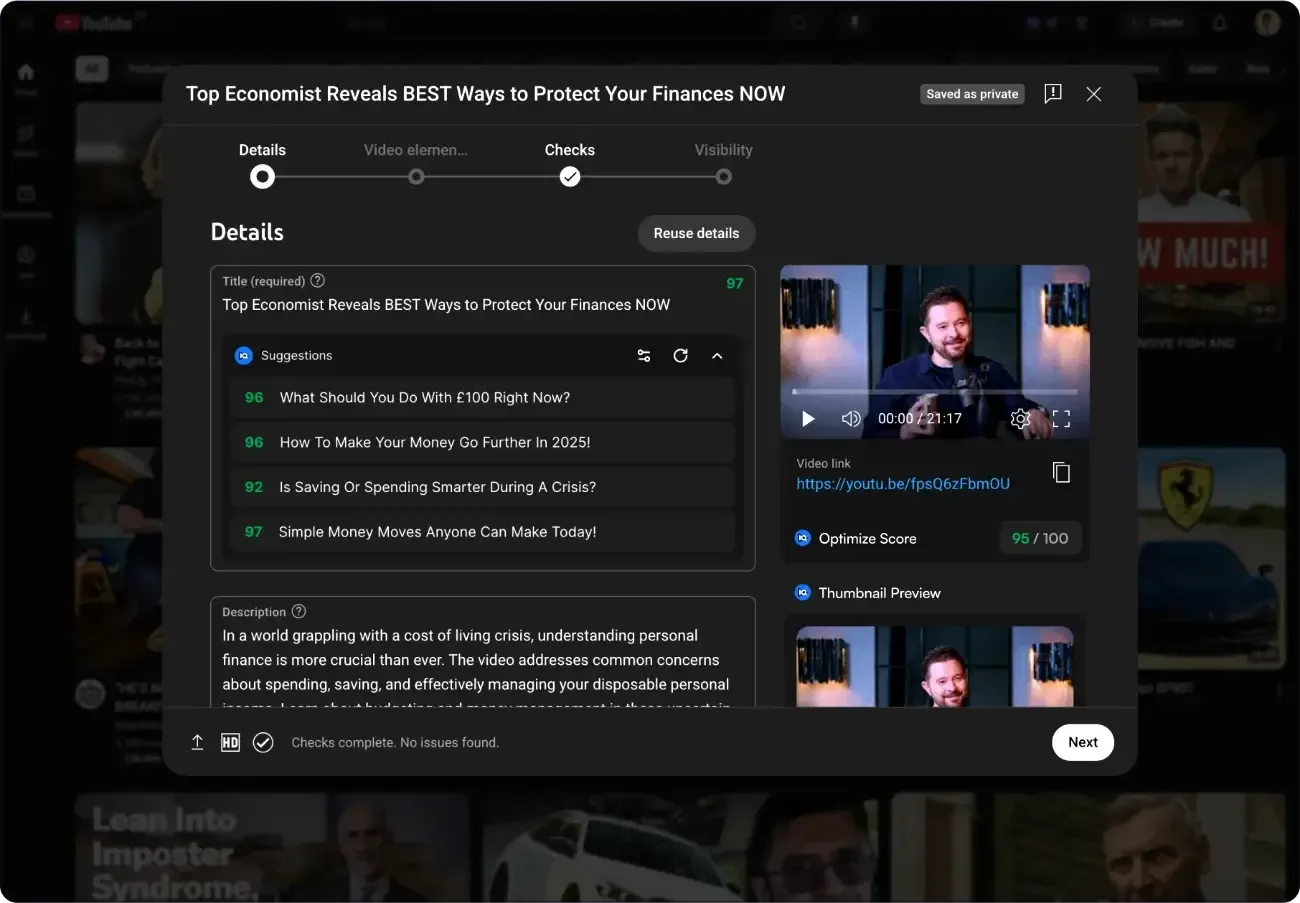
VidIQ automates the heavy lifting. It shows you the exact tags your competitors are using, tells you the best time of day to post, and even uses AI to suggest optimized titles for you. It's like having an SEO expert sitting next to you while you work.
Supercharge Your Growth
Learn how to use VidIQ's advanced features to dominate your niche.
See How VidIQ Works for SEOYouTube SEO for Beginners
Feeling overwhelmed? Don't be. SEO is a marathon, not a sprint. If you're just starting out, you don't need to master everything at once. Focus on the fundamentals: find a good keyword, make a good video, and write a clear title.
Start Simple
Read our simplified guide that focuses on the 5 most important steps for beginners.
Read The Beginner's Guide to YouTube SEOReady to rank #1?
Stop guessing and start ranking. Get the data you need to grow your channel today.
Boost Your SEO for Free